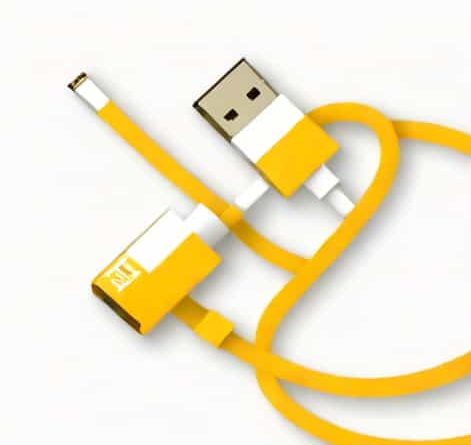
Yellow And White Cable To Hdmi
Connecting older devices to modern displays often requires understanding how different types of cables work together. One common scenario involves using yellow and white cables, typically known as composite video and audio cables, to connect to an HDMI input. These cables were standard on older TVs, DVD players, and gaming consoles, with the yellow cable transmitting video and the white cable transmitting left-channel audio. As technology advanced, HDMI became the standard for high-definition audio and video, combining both signals into a single cable. Understanding how to convert or connect yellow and white cables to HDMI is essential for anyone trying to use older devices with newer TVs or monitors.
Understanding Yellow and White Cables
The yellow and white cables are part of the RCA cable family, which has been widely used since the mid-20th century. Each cable serves a specific purpose
- Yellow CableTransmits composite video signals, carrying the picture information in analog format.
- White CableTransmits mono or left-channel audio signals in analog format.
These cables are relatively simple and inexpensive, but they were designed for analog devices and do not inherently support high-definition video or digital audio, which is why conversion is necessary when connecting to HDMI.
Understanding HDMI
HDMI, which stands for High-Definition Multimedia Interface, is a digital standard that carries both high-definition video and multi-channel audio in a single cable. HDMI supports modern resolutions such as 1080p and 4K, as well as digital surround sound formats. Unlike yellow and white RCA cables, HDMI does not support analog signals directly. Therefore, when connecting devices that use yellow and white cables to an HDMI display, a converter or adapter is required to translate the analog signals into digital format.
Why a Converter Is Needed
The primary reason a simple cable adapter cannot connect yellow and white cables to HDMI is the difference in signal type. RCA cables carry analog signals, whereas HDMI carries digital signals. Analog and digital signals are fundamentally different
- Analog signals vary continuously and can degrade over distance or interference.
- Digital signals are binary, representing data as ones and zeros, which ensures higher quality and supports modern resolutions.
Because of this, a converter is needed to process the analog video and audio from the yellow and white cables and convert it into a digital signal that HDMI can transmit. Without a converter, the device will not display video or play audio correctly on an HDMI input.
Types of Converters
There are several types of converters available to connect yellow and white cables to HDMI
- RCA to HDMI Converter BoxA small device where you plug in the yellow and white cables, along with a red cable for right audio, and it outputs to HDMI.
- RCA to HDMI Cable AdapterSome adapters combine the functions of a cable and a converter, though these are less common and may require external power for proper signal conversion.
- Active Converters with UpscalingThese devices not only convert the signal from analog to digital but also upscale lower-resolution signals to better fit HD or 4K displays.
Choosing the right converter depends on the quality of output desired and the capabilities of the connected devices.
Steps to Connect Yellow and White Cables to HDMI
Connecting older devices using yellow and white cables to an HDMI display involves several steps
- Step 1Identify the input and output ports on both the source device (DVD player, gaming console) and the display (TV or monitor).
- Step 2Obtain an RCA to HDMI converter suitable for the signal type and resolution requirements.
- Step 3Connect the yellow cable to the video input on the converter.
- Step 4Connect the white (and red, if available) audio cables to the converter.
- Step 5Connect an HDMI cable from the converter’s output to the HDMI input on the display.
- Step 6Power the converter if it requires external power, usually via a USB cable or adapter.
- Step 7Set the display input to the correct HDMI port and adjust any settings on the source device as needed.
Following these steps ensures that both video and audio are transmitted correctly, providing a usable experience with older devices on modern displays.
Considerations and Tips
When connecting yellow and white cables to HDMI, it is important to keep a few considerations in mind
- Resolution LimitsThe output from RCA cables is usually standard definition, so even after conversion, the image may not match the native resolution of an HD or 4K display.
- Audio ChannelsYellow and white cables usually carry only stereo sound, so full surround sound is not possible without additional equipment.
- Quality of ConvertersHigher-quality converters with upscaling capabilities provide a better image and more stable audio, reducing fuzziness or lag.
- Cable LengthKeep RCA cables short when possible to minimize signal degradation before conversion.
Applications
Connecting yellow and white cables to HDMI is useful in various scenarios, including
- Playing older DVDs or VHS tapes on modern TVs.
- Using retro gaming consoles with HDMI-only displays.
- Connecting legacy audio-video equipment in home theaters or classrooms.
- Preserving family videos or presentations from older devices by integrating them into digital setups.
These applications make converters a practical solution for maintaining compatibility between old and new technology.
Converting yellow and white cables to HDMI allows older devices to remain functional with modern displays, bridging the gap between analog and digital technologies. Understanding the differences between analog RCA signals and digital HDMI signals is key to selecting the right converter and achieving the best audio and video quality. By following proper connection steps, using suitable converters, and considering factors such as resolution and audio channels, users can enjoy older media on new devices without losing functionality. Whether for gaming, watching classic movies, or accessing legacy equipment, converting yellow and white cables to HDMI is a valuable skill for anyone dealing with a mix of old and modern technology.