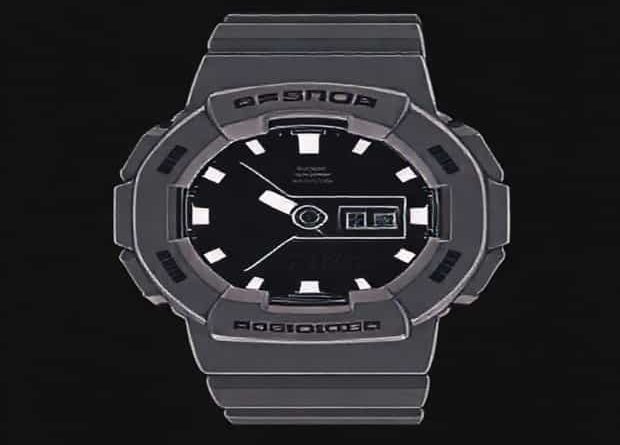
Casio G Shock Chg Blinking
Many owners of Casio G-Shock watches sometimes notice a message or symbol on their display that reads CHG blinking. For first-time users, this can be confusing because the watch has multiple functions, indicators, and features that might look unfamiliar. Understanding what CHG blinking means, why it happens, and how to address it is essential to ensure that your G-Shock continues to function properly. Since G-Shock is known for its durability and long-lasting performance, learning about this indicator helps you take care of the watch in the right way.
Understanding the CHG Indicator in Casio G-Shock
The CHG sign is an abbreviation for Charge. It generally appears on solar-powered Casio G-Shock models, which use a rechargeable battery that stores energy from sunlight or indoor light. The CHG blinking message is a warning that the watch’s power supply is running low. It acts as a signal for the user to expose the watch to sufficient light to recharge the battery.
Why Does CHG Blink on a G-Shock?
There are several reasons why the CHG might start blinking
- Low battery level– The primary reason is that the battery charge has dropped below the safe operating range.
- Insufficient exposure to light– If the watch has not been exposed to sunlight or artificial light for an extended period, it cannot generate enough power.
- High power consumption– Using many functions like alarms, backlight, or Bluetooth connectivity without giving the watch enough time to recharge can drain the stored energy quickly.
- Battery deterioration– In rare cases, after many years of use, the rechargeable battery may lose its capacity and cause the CHG sign to appear more often.
How to Recharge When CHG Blinks
When you see CHG blinking on your Casio G-Shock, the immediate step is to recharge the battery through exposure to light. Casio recommends natural sunlight as the most effective source of energy for solar-powered models. Placing the watch under indoor fluorescent or LED lights can also work, but it will be slower compared to direct sunlight.
Tips for Effective Recharging
- Place the watch under direct sunlight for several hours to restore power.
- Avoid leaving the watch behind glass windows for too long, as glass can reduce the intensity of UV rays needed for charging.
- For indoor charging, position the watch close to a bright light source but avoid direct contact with heat that may damage the unit.
- Make sure the watch face is positioned upward toward the light to maximize energy absorption.
Preventing CHG Blinking in the Future
To avoid the CHG indicator from blinking frequently, owners can adopt simple practices to keep their watch consistently charged. G-Shock watches are built to last, but they still require proper maintenance of their power system. Regular exposure to light ensures that the watch battery remains fully functional and reliable.
Daily Care Practices
- Wear the watch outdoors regularly so it can absorb natural sunlight.
- When not in use, store it in a place with access to indirect sunlight.
- Limit unnecessary use of power-draining features when the watch battery is already low.
- Check the display indicators frequently to stay aware of battery levels.
CHG Blinking and Watch Functions
When the CHG warning blinks, some functions of the Casio G-Shock might not work properly. For example, the backlight, alarms, or Bluetooth syncing may become unavailable until the battery regains enough charge. This is a built-in protective feature designed to ensure that the most important timekeeping functions continue to run even when power is low.
Common Restrictions During Low Power Mode
- The backlight may stop working.
- Sound functions such as alarms may be disabled.
- Advanced features like GPS or Bluetooth will not activate.
- In some cases, the second hand may pause to conserve energy.
When CHG Blinking Does Not Stop
There are situations where even after long exposure to light, the CHG indicator keeps blinking. This usually points to an underlying issue beyond regular charging. It could be due to the rechargeable battery reaching the end of its life cycle. While these batteries can last for many years, eventually, they might need replacement.
Steps to Take in This Case
- Try exposing the watch to strong sunlight for a full day and monitor the changes.
- If the CHG sign continues to blink, consult the Casio service center.
- A technician can test the battery capacity and replace it if necessary.
- Always ensure battery replacements are done by authorized service providers to maintain water resistance and durability.
Importance of Understanding CHG Blinking
Casio G-Shock watches are highly popular for their toughness, shock resistance, and modern features. However, like any electronic device, they require proper handling. The CHG blinking indicator is not a sign of damage but a reminder that the watch needs energy. Ignoring this message can lead to complete stoppage of functions, which is inconvenient for daily use.
Benefits of Knowing the Indicator
- Helps extend the life of the rechargeable battery.
- Ensures that timekeeping remains accurate.
- Prevents unnecessary worry about watch malfunction.
- Improves overall user experience with the watch.
Seeing the CHG blinking sign on a Casio G-Shock can cause confusion, but it is simply a low battery indicator on solar-powered models. By exposing the watch to sufficient sunlight or strong indoor lighting, the issue can usually be resolved quickly. Regular charging habits, proper maintenance, and understanding the limits of power consumption will prevent frequent CHG warnings. In rare cases where the battery no longer holds charge, professional servicing ensures the watch continues to deliver the durability and reliability that Casio G-Shock is famous for. With these steps, your G-Shock will remain a trusted companion for years without interruptions from power issues.