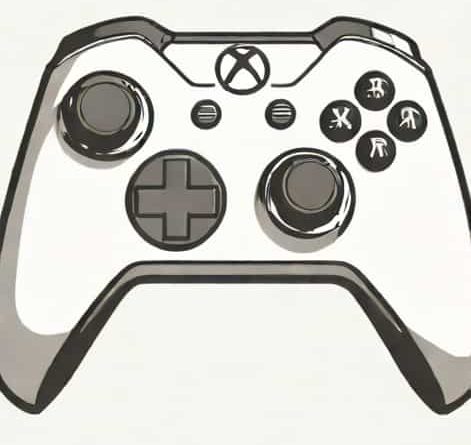
Xbox Controller Hid Descriptor
The Xbox controller has become a staple in modern gaming, offering precise control, comfort, and advanced features that enhance the gaming experience. While most users focus on gameplay and ergonomics, the technical details behind the controller, such as the HID descriptor, play a crucial role in its functionality. The HID descriptor, or Human Interface Device descriptor, is a data structure used by the operating system to understand the inputs from the controller. It allows the system to recognize button presses, joystick movements, and other controls, ensuring seamless communication between the hardware and the software. Understanding the Xbox controller HID descriptor provides insight into how gaming devices interact with computers and consoles at a low level.
What is a HID Descriptor?
A HID descriptor is a structured set of data that describes the capabilities and characteristics of a Human Interface Device to the operating system. For the Xbox controller, this descriptor informs the system about the number of buttons, axes, triggers, and other input elements. By providing this information, the HID descriptor allows the operating system to properly interpret the input signals and map them to game controls.
Key Functions of a HID Descriptor
- Specifies the type and number of controls on the device.
- Describes how data is reported from the device to the system.
- Enables the operating system to automatically configure drivers for the device.
- Ensures compatibility across different platforms and applications.
Without the HID descriptor, the operating system would not know how to handle the controller’s inputs correctly, potentially leading to unresponsive or misinterpreted commands.
Structure of the Xbox Controller HID Descriptor
The Xbox controller HID descriptor is a detailed data structure that outlines every input element available on the device. This includes buttons, thumbsticks, triggers, directional pads, and even vibration feedback. Each input is assigned a unique identifier, along with details about its data size, range, and type. This allows games and software to read input consistently and respond accurately to user actions.
Components of the Descriptor
- ButtonsDigital inputs such as A, B, X, Y, bumper, and menu buttons.
- ThumbsticksAnalog inputs providing X and Y axis values for left and right sticks.
- TriggersAnalog inputs for left and right triggers with varying pressure levels.
- D-PadDirectional pad inputs, usually represented as discrete values or an axis combination.
- Vibration MotorsFeedback elements described in the descriptor for force feedback integration.
Each component is carefully defined in the HID descriptor so that both consoles and PCs can interpret the signals without requiring additional manual configuration.
Why the HID Descriptor Matters for Xbox Controllers
The HID descriptor is fundamental to the controller’s plug-and-play capability. When you connect an Xbox controller to a Windows PC or a console, the operating system reads the descriptor to understand the inputs and output requirements. This allows the controller to work immediately without needing custom drivers, ensuring a smooth user experience.
Benefits of the HID Descriptor
- Automatic recognition and configuration of the device by the operating system.
- Consistent input mapping across different games and applications.
- Support for advanced features like analog triggers and vibration feedback.
- Cross-platform compatibility, making the controller usable on Windows, Xbox, and other supported devices.
By standardizing the way input devices report data, HID descriptors make controllers like the Xbox controller versatile and easy to use across multiple systems.
Interpreting HID Reports from the Xbox Controller
The HID descriptor defines the format of data reports sent from the Xbox controller. These reports contain real-time input values for buttons, sticks, and triggers. Each report is structured according to the descriptor’s specifications, which indicate how many bytes are used, the order of inputs, and the scaling of analog values. Game software reads these reports to detect player actions and translate them into in-game movements and commands.
Example of Data Mapping
- Byte 0 Button states (A, B, X, Y, etc.)
- Byte 1 D-Pad direction
- Bytes 2-3 Left thumbstick X/Y axis
- Bytes 4-5 Right thumbstick X/Y axis
- Byte 6 Left trigger pressure
- Byte 7 Right trigger pressure
This structured mapping allows game developers and drivers to interpret raw input accurately, ensuring smooth and responsive gameplay. The descriptor essentially acts as a guidebook that both the hardware and software follow to maintain consistent behavior.
HID Descriptors and Customization
Understanding the Xbox controller HID descriptor is also valuable for developers and advanced users who wish to customize or remap controls. By knowing the exact structure and byte allocation of inputs, software can intercept and reinterpret signals, enabling features like custom control schemes, macros, or accessibility enhancements. Some gaming platforms and third-party tools rely on HID descriptor information to provide fully remappable inputs without hardware modification.
Applications of Customization
- Remapping buttons to accommodate player preferences or accessibility needs.
- Creating macros for complex sequences of inputs in competitive gaming.
- Integrating the Xbox controller with non-standard platforms like mobile devices or custom gaming rigs.
These applications highlight the flexibility offered by the standardized HID descriptor, making the Xbox controller not only widely compatible but also adaptable to unique gaming requirements.
Challenges and Considerations
While the HID descriptor provides many benefits, there are some challenges. For instance, not all games or applications interpret advanced controller features in the same way. Some software may only recognize basic button presses and ignore analog triggers or vibration data. Additionally, firmware updates or variations between controller models may introduce differences in descriptors, requiring updated drivers or software support.
Best Practices for Developers
- Always refer to the official HID descriptor documentation when implementing controller support.
- Test the controller across multiple platforms to ensure consistent behavior.
- Provide options to configure input mapping to accommodate differences in controller versions.
By following these best practices, developers can maximize compatibility and take full advantage of the Xbox controller’s features.
The Xbox controller HID descriptor is a fundamental component that enables the seamless functionality of one of the most popular gaming controllers in the world. By defining the structure, mapping, and characteristics of every input, the descriptor allows operating systems and software to interpret signals accurately, ensuring responsive and reliable gameplay. Beyond plug-and-play functionality, the HID descriptor supports advanced features, cross-platform compatibility, and customization for enhanced user experience. Understanding the role of HID descriptors helps gamers, developers, and tech enthusiasts appreciate the underlying technology that makes modern gaming intuitive, accessible, and versatile.