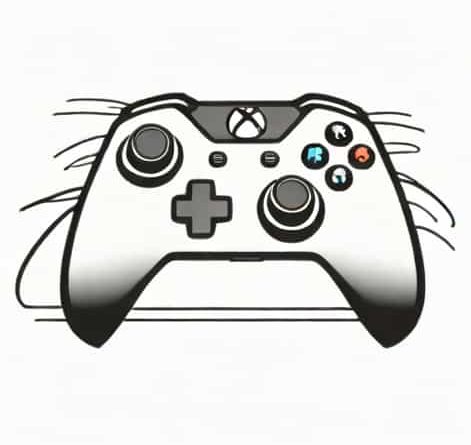
Xbox One Stick Drift
Xbox One stick drift is a common issue that many console gamers experience after months or years of regular use. It can be frustrating to see your character move on its own or the camera slowly turn even when your hands are off the controller. This problem affects gameplay immersion and can make competitive or precise games much harder to enjoy. Because the Xbox One controller is widely used across many genres, stick drift has become an important topic for players who want to understand the causes, symptoms, and possible solutions.
Understanding What Xbox One Stick Drift Is
Stick drift happens when the analog stick sends movement signals to the console even though it is not being touched. On Xbox One, this usually affects the left or right thumbstick, or sometimes both.
How Analog Sticks Work
Inside each Xbox One controller thumbstick are small sensors that track movement on two axes. Over time, these components can wear down or become dirty, causing inaccurate readings.
Why Drift Feels So Noticeable
Even small inaccuracies can feel dramatic in games. A slight pull to one direction can cause constant camera movement or unwanted character motion.
Common Symptoms of Xbox One Stick Drift
Recognizing stick drift early can help prevent further frustration.
Uncontrolled Character Movement
Your character may slowly walk forward or sideways without any input, especially noticeable in first-person or third-person games.
Camera Movement Issues
In many cases, the right stick drifts, causing the camera to pan or spin slowly on its own.
Menu Navigation Problems
Stick drift can also affect menu screens, making it difficult to select options or scroll accurately.
Main Causes of Xbox One Stick Drift
Several factors can contribute to this problem over time.
Wear and Tear from Regular Use
Repeated movement of the thumbsticks gradually wears down internal components. This is the most common cause of Xbox One stick drift.
Dirt and Dust Buildup
Dust, skin oils, and small debris can enter the controller and interfere with the sensors inside the analog stick.
Manufacturing Tolerances
Even small variations in manufacturing can lead to sticks becoming less accurate faster than expected.
Games Where Stick Drift Is Most Noticeable
Some game genres make stick drift more obvious than others.
First-Person Shooters
Precision aiming is critical in shooters, so any unintended movement can seriously affect performance.
Racing Games
In racing titles, stick drift can cause vehicles to turn slightly, making it hard to maintain straight lines.
Open-World Adventures
Exploration-heavy games often involve slow camera movement, which makes drifting easier to notice.
Testing for Xbox One Stick Drift
Before attempting fixes, it helps to confirm the issue.
In-Game Testing
Load a game with a stationary character and release the controller. If movement continues, drift is likely present.
System Calibration Checks
Some games include sensitivity settings that can help reveal subtle drift issues.
Temporary Fixes for Xbox One Stick Drift
While not permanent, some solutions can reduce the problem.
Cleaning the Thumbstick
Carefully cleaning around the base of the analog stick can remove dust and debris that interfere with sensors.
Adjusting Dead Zones
Increasing the dead zone in game settings can help ignore minor unintended movements.
Resetting the Controller
Power cycling the controller and reconnecting it to the console may resolve minor input glitches.
Long-Term Solutions and Repairs
For persistent issues, more serious solutions may be needed.
Replacing the Analog Stick Module
Some players choose to replace internal components, though this requires technical skill and patience.
Professional Repair Services
Repair shops can fix stick drift by replacing worn parts, often at a lower cost than buying a new controller.
Controller Replacement
When repairs are not practical, replacing the Xbox One controller may be the most reliable option.
Preventing Stick Drift in the Future
Good habits can help extend the life of your controller.
Gentle Handling
Avoid pressing too hard on the thumbsticks, especially during intense gameplay.
Regular Cleaning
Wiping down the controller and keeping it stored in a clean environment reduces debris buildup.
Using Protective Covers
Silicone covers and cases can help keep dust and dirt out of sensitive areas.
Is Stick Drift a Design Problem?
Many players wonder if stick drift is unavoidable.
Industry-Wide Issue
Analog stick drift is not unique to Xbox One. Similar issues exist across many gaming controllers.
Balancing Cost and Durability
Manufacturers aim to balance affordability with performance, which can impact long-term durability.
Impact of Stick Drift on Competitive Play
For competitive gamers, stick drift can be more than an annoyance.
Reduced Accuracy
Unintended movement affects aim, timing, and precision in competitive matches.
Player Frustration
Persistent drift can reduce enjoyment and lead players to avoid certain games altogether.
Who Is Most Affected by Xbox One Stick Drift
Some players are more likely to encounter this issue.
Heavy Users
Gamers who play daily or for long sessions tend to wear down controllers faster.
Younger Players
Children may apply more force to thumbsticks, increasing wear over time.
Xbox One stick drift is a widespread issue that affects many players, but understanding its causes and solutions can make it easier to manage. From simple cleaning and dead zone adjustments to repairs and replacements, there are several ways to address the problem. While it can be frustrating, stick drift is often a result of normal wear rather than misuse. By taking preventive steps and recognizing early signs, players can extend the lifespan of their Xbox One controllers and enjoy smoother, more reliable gameplay.